
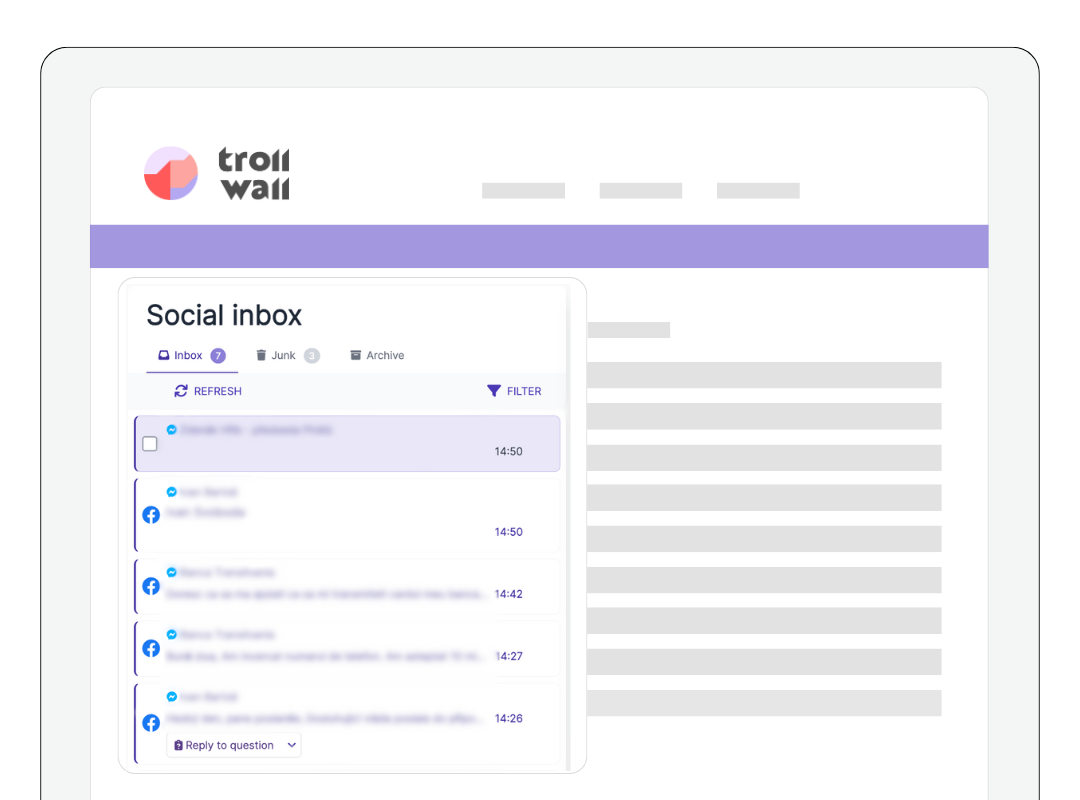
We're excited to introduce Social Inbox in the TrollWall AI platform - your unified hub for managing Facebook Messenger conversations with efficiency, speed, and complete control.

Social Inbox eliminates the chaos of platform-switching for teams managing customer support, brand communities, or high-volume engagement. All your direct messages now live in one streamlined workspace.
What Is Social Inbox?
Social Inbox is your dedicated workspace for Facebook Messenger interactions, designed to eliminate scattered conversations and accelerate response times. No complicated setup. No manual linking. It just works.
Here's what makes Social Inbox an essential part of modern community management:
- Smart Message Filtering & Moderation
Social Inbox automatically detects toxic and hateful messages, sending them straight to Junk to protect your team and keep conversations productive. The platform includes comprehensive moderation tools: spam filtering, message flagging for follow-up, user blocking and trust lists, and the ability to respond with attachments, giving you complete control over every interaction.
- Unified Communication Management
All your Facebook Messenger interactions live in one place. Stop toggling between tabs, apps, and platforms. With Social Inbox, every conversation is accessible from a single, intuitive dashboard.
- Seamless Integration
TrollWall AI handles the integration behind the scenes, so you can focus on what matters: engaging with your community.
- Faster Response Times
When you're not jumping between platforms, you reply faster. Social Inbox keeps your team agile, responsive, and in sync, ensuring your customers and followers never wait long for answers.
- Enhanced Productivity
A streamlined interface means fewer distractions and more focus. Your team stays on task, prioritizes what's urgent, and handles high volumes of messages without feeling overwhelmed.
Your Direct Messages Strategy Matters
Direct messages are where real relationships are built. They're where customers ask questions, share concerns, request support, and engage with your brand on a personal level.
But managing DMs across multiple platforms and pages has always been a challenge. Messages get lost. Response times suffer. Teams lose track of who said what and when.
Social Inbox solves this.
By bringing all your Facebook and Messenger conversations into one place, you gain clarity, control, and confidence. Your team can track every interaction, respond consistently, and ensure no message goes unanswered, even during peak engagement periods.
Speed and responsiveness define customer experience. Social Inbox helps you deliver both.
How to Access Your Social Inbox
For New Users:
1. Create your TrollWall AI account
2. Connect your Facebook Page
That's it! Facebook Messenger will automatically connect to your Facebook Page, and you can start managing all your conversations in Social Inbox.
Already Have a Facebook Account Connected to TrollWall AI?
1. Go to Social Accounts in the main menu of the app
2. Click "Connect"
3. Authorize the connection of your Facebook Page, and your Facebook Messenger is all set!
Not using TrollWall AI yet?
Now's the perfect time to see how Social Inbox and our full suite of community management AI agents, can help your team work faster, respond smarter, and protect your brand across every channel.
At TrollWall AI, we're committed to helping brands and institutions build safe, efficient, and well-managed online communities.
Social Inbox is just one of many tools designed to help you streamline communication, improve productivity, and stay in control of your community management.
More AI features are coming soon. Stay tuned!